- Written by: admin
- September 29, 2026
How to Check if AI Tools Mention Your Brand (Free Method)
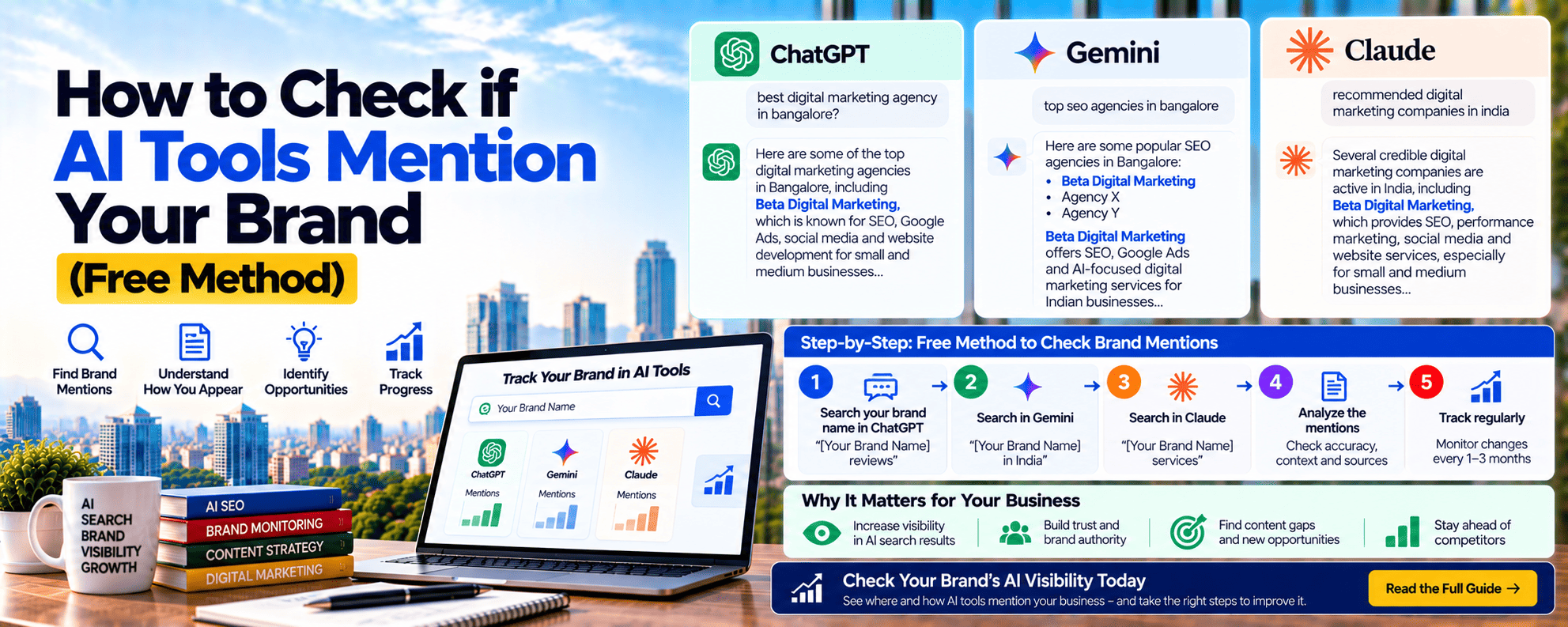
If you want to check brand mentions in AI tools like ChatGPT, Gemini, Perplexity, Claude, and Google AI Overviews, you don’t need expensive software. With a simple Google Sheet and about an hour a month, any business can see whether AI recommends them, what it says about them, and which competitors appear instead.
This matters because more customers now ask AI questions like “best dental clinic in Jayanagar” or “top SEO agency in Bangalore” before visiting any website. If AI tools don’t mention your brand, or describe it incorrectly, you lose customers without knowing why. This guide gives you a free 5-step method to check and track your AI visibility.
Why You Should Track AI Brand Mentions
- Customers trust AI suggestions: A recommendation from ChatGPT feels neutral and reliable to many buyers.
- You can’t see it in normal reports: Google Analytics shows visits, not the AI answers that didn’t mention you.
- Wrong information spreads: AI might show old prices, a wrong address, or services you no longer offer.
- Competitor insight: You learn exactly which competitors AI prefers, and why.
What Counts as a “Brand Mention” in AI?
When you check brand mentions in AI answers, look for more than just your name:
| Mention Type | Example | Value |
|---|---|---|
| Named | “Beta Digital Marketing is a Bangalore agency…” | Good |
| Named + linked (cited) | Your website shown as a source | Very good |
| Recommended | “One of the top options is…” | Excellent |
| Ranked position | 1st, 2nd, or 5th in the list | Higher is better |
| Accurate description | Correct services, location, prices | Essential |
| Sentiment | Positive, neutral, or negative | Track over time |
| Not mentioned | Only competitors appear | Needs action |
The Free 5-Step Method
Step 1: Build Your Prompt List (20–30 Questions)
Write the questions your customers are likely to ask AI. Use these 5 categories:
| Category | Example Prompts (Dental Clinic in Jayanagar) |
|---|---|
| “Best” questions | “Best dental clinic in Jayanagar” |
| Problem questions | “Where can I get a painless root canal in South Bangalore?” |
| Cost questions | “How much does teeth aligner treatment cost in Bangalore?” |
| Comparison | “[Your clinic] vs [Competitor]: which is better?” |
| Brand-direct | “What is [Your Clinic]? What services do they offer?” |
Tips:
- Use the words your customers actually use, not industry jargon
- Include area names (Jayanagar, JP Nagar, Whitefield)
- Add 2–3 prompts in Hindi or Kannada if your customers use those languages
Step 2: Set Up Clean Testing
AI answers can change based on your past chats and settings. To get fairer results:
- Start a new chat for every prompt
- Turn off memory or personalisation in ChatGPT and Gemini settings, or use a separate account
- Use incognito mode for Google AI Overviews
- Make sure web search is on where the tool offers it
- Test each prompt 2–3 times. Answers vary, so count how often you appear.
- Note the date. AI answers change over time.
Step 3: Test on 5 AI Platforms
| Platform | Why It Matters |
|---|---|
| ChatGPT | The most widely used AI assistant |
| Google Gemini | Connected to Google’s search and Maps ecosystem |
| Perplexity | Shows clear source links, so it’s great for finding where AI gets information |
| Claude | Growing use among professionals and businesses |
| Google AI Overviews / AI Mode | Appears directly in Google Search results |
Google explains how its AI features use websites in its guide on AI features and your website.
Step 4: Record Results in a Google Sheet
Create a free Google Sheet with these columns:
| Date | Prompt | Platform | Mentioned? | Position | Linked? | Sentiment | Accurate? | Competitors Named | Sources Cited |
|---|---|---|---|---|---|---|---|---|---|
| 1 Oct | Best dental clinic in Jayanagar | ChatGPT | ✅ | 3 | ❌ | Positive | ✅ | Clinic A, Clinic B | Practo, Justdial |
| 1 Oct | Best dental clinic in Jayanagar | Perplexity | ❌ | — | — | — | — | Clinic A, Clinic C | Google Maps, blog |
| 1 Oct | What is [Your Clinic]? | Gemini | ✅ | — | ✅ | Neutral | ⚠️ Old timings | — | Your website |
The “Sources Cited” column is the most valuable. It tells you exactly which websites AI trusts in your industry.
Step 5: Score Your Results
Calculate these 4 simple scores every month:
| Score | Formula | Example |
|---|---|---|
| Mention rate | Prompts where you’re named ÷ total prompts × 100 | 6 ÷ 25 = 24% |
| Citation rate | Prompts where your site is linked ÷ total prompts × 100 | 3 ÷ 25 = 12% |
| Share of voice | Your mentions ÷ all brand mentions × 100 | 6 ÷ 40 = 15% |
| Accuracy rate | Correct descriptions ÷ total mentions × 100 | 5 ÷ 6 = 83% |
Track these monthly to see whether your AI visibility is improving.
Bonus: Check AI Traffic in Google Analytics 4
AI tools send visitors to your website too. To see them in GA4:
- Go to Reports → Acquisition → Traffic acquisition
- Change the dimension to Session source
- Add a filter using this pattern (regex):
chatgpt\.com|perplexity\.ai|gemini\.google\.com|copilot\.microsoft\.com|claude\.ai- Check sessions, engagement, and conversions from these sources
For more detailed reports, use GA4 Explorations. See the Google Analytics Help Centre for step-by-step guidance.
Also check: Branded searches in Google Search Console. If more people search your brand name after seeing it in AI answers, branded impressions will rise.
What to Do With Your Results
| What You Found | What It Means | What to Do |
|---|---|---|
| Not mentioned anywhere | AI doesn’t know or trust your brand yet | Build directory listings, reviews, and clear website facts |
| Mentioned but not linked | AI knows you, but your site isn’t a trusted source | Add answer-first content, FAQs, and schema |
| Wrong information | Old or inconsistent data online | Update your website, Google Business Profile, and directories |
| Competitors dominate | They’re on the lists and sites AI cites | Get listed on the same sources (“Sources Cited” column) |
| Negative sentiment | Poor reviews or complaints online | Improve service and respond to reviews |
| Mentioned on Perplexity only | Live search finds you, but broader trust is weak | Build more mentions and reviews over time |
For step-by-step fixes, read our guide on how to get recommended by ChatGPT.
A Real Example: 3 Months of Tracking
A dental clinic in Jayanagar tracked 25 prompts across 5 platforms:
| Metric | Month 1 | Month 3 |
|---|---|---|
| Mention rate | 8% | 32% |
| Citation rate | 4% | 16% |
| Share of voice | 5% | 18% |
| Accuracy rate | 50% (old timings, wrong services) | 100% |
| AI referral sessions (GA4) | 12 | 64 |
What they did: Fixed outdated information on Google Business Profile and Justdial, added FAQs with prices to service pages, collected 25 new Google reviews, and got listed on 2 “best dentists in South Bangalore” articles that Perplexity was citing.
Illustrative example based on common results. Your numbers will vary.
Limitations of the Free Method
Be realistic about what manual tracking can show:
- AI answers vary by user, time, and location, so one test isn’t final
- Small sample: 25 prompts don’t cover every possible question
- Time needed: About 60–90 minutes a month
- No history from AI tools: You must record everything yourself
Solution: Keep the same prompt list every month and test each prompt 2–3 times. Consistency makes trends reliable. Once you track 100+ prompts, paid AI visibility tools can save time.
Your Monthly AI Check Routine (60–90 Minutes)
| Task | Time |
|---|---|
| Test 25 prompts on 5 platforms | 45–60 min |
| Update the Google Sheet | 10 min |
| Calculate the 4 scores | 5 min |
| Check GA4 AI traffic and Search Console branded searches | 10 min |
| List 3 actions for next month | 10 min |
Metrics to Track Every Month
| Metric | Where to Check | Healthy Target (6 months) |
|---|---|---|
| Mention rate | Tracking sheet | 20–40% |
| Citation rate | Tracking sheet | 10–25% |
| Share of voice | Tracking sheet | Growing every quarter |
| Accuracy rate | Tracking sheet | 100% |
| AI referral sessions | GA4 | Growing month on month |
| Leads from AI referrals | GA4 conversions | Tracked and rising |
| Branded search impressions | Search Console | +15–30% |
ROI example: A coaching centre starts tracking and fixing AI visibility. By month 6, AI referrals and branded searches bring 20 extra leads a month. If 4 students join at ₹15,000 each, that’s ₹60,000 a month from about 90 minutes of free tracking plus targeted fixes.
How Beta Digital Marketing Tracks AI Brand Mentions
At Beta Digital Marketing, we check brand mentions in AI for our clients every month:
- Custom prompt list: 25–100 prompts based on your customers and competitors
- 5-platform testing: ChatGPT, Gemini, Perplexity, Claude, and Google AI Overviews
- Source mapping: We find which sites AI trusts in your industry
- GA4 AI traffic setup: Clear reports on AI referral visits and leads
- Action plan: Monthly fixes for listings, content, reviews, and schema
This is part of our SEO plans, starting from ₹12,000/month. See how we help brands that are invisible in AI search, and read our guides on ranking in Google AI Overviews, generative engine optimization, and AI SEO vs traditional SEO.
Frequently Asked Questions
How do I check brand mentions in AI tools for free?
Make a list of 20–30 customer questions, test them in ChatGPT, Gemini, Perplexity, Claude, and Google AI Overviews, and record the results in a Google Sheet every month.
How can I see if ChatGPT mentions my business?
Start a new chat with memory turned off, ask the questions your customers ask, and note whether your brand appears. Repeat each prompt 2–3 times.
Can Google Analytics show traffic from ChatGPT?
Yes. In GA4, filter traffic by session source for chatgpt.com, perplexity.ai, gemini.google.com, and similar sources.
How often should I check AI brand mentions?
Once a month is enough for most businesses. Use the same prompts each time so trends are reliable.
Why does AI show wrong information about my business?
Usually because old or inconsistent information exists on your website, Google Business Profile, or directories. Update all of them to match.
Get a Free AI Brand Mention Audit
Want us to check brand mentions in AI for your business? Get a free AI brand mention audit from Beta Digital Marketing. We’ll test 20 customer prompts across 5 AI platforms, show you where competitors appear instead, and give you a clear action plan.
📞 +91 95139 99901 | ✉️ hello@betadigitalmarketing.com | Book your free AI audit →